Why COMPRESS
Automate ASME/NBIC Forms Preparation
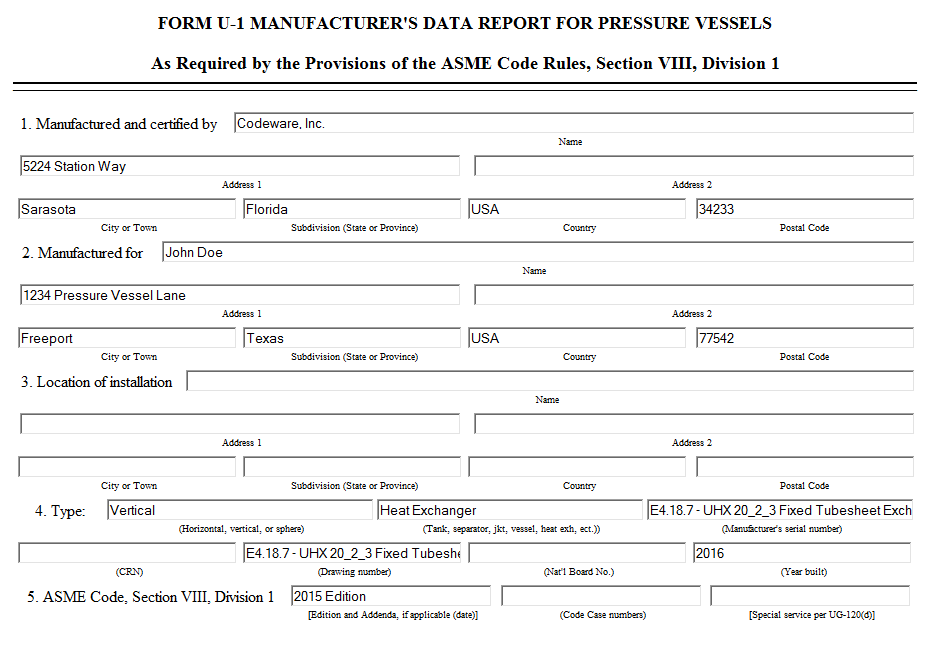
Filling out and managing ASME and National Board registration forms is a time consuming, error prone task. With the COMPRESS Forms Tool you can:
- Create ASME U and A Forms with data pulled directly from your COMPRESS file. This eliminates redundant data entry and reduces transcription errors.
- Create NBIC repair and alteration R Forms populated with your company's information.
- Send completed forms to the National Board electronically. Save paper, reduce postage and take advantage of NBIC's lower electronic filing fees.
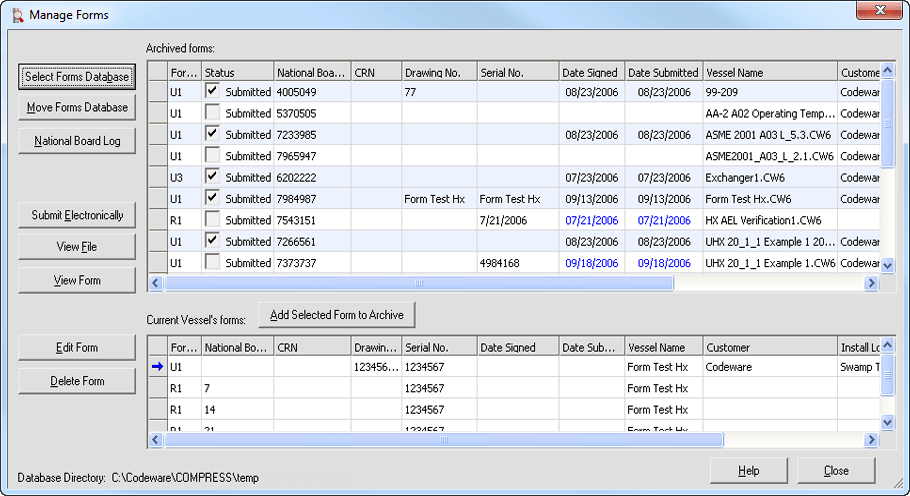
- Archive forms and supporting documentation with the built-in forms management utility.
Is the Forms Tool a standard feature? How does it work?
Yes, the COMPRESS Forms Tool is a standard COMPRESS feature. All forms-related functionality is available from the Forms menu. To create your form:
- Select Forms > Form Settings to store repeated information, such as your company name, address and National Board Manufacturer ID, in a centralized location for use on all forms.
- Select the form type you require from the Forms menu. COMPRESS automatically fills in your vessel or exchanger data and displays an editable form. View the Form Editing Screen.
- Click the "Generate" button to save your form.
- Select Forms > Submit Electronically to create an EDT-compatible file. This file can be uploaded directly to the National Board's website.
- Select Forms > Manage Forms to archive forms and related files in a central database as well as manage your National Board Log. View the Forms Management Interface.
Find Out More
Read Newsletter
Automate ASME/NBIC Forms Preparation
Receive Software Tips and 'How To' Videos By Email
Subscribe to Newsletter
« Back to COMPRESS Features and Benefits
Questions?
We're here to help. Contact Us or Call 941.927.2670 for
more information.