Export Your Designs as 3D Solid Models
With COMPRESS you can export your designs in any one of the following neutral file formats:
Once your file is exported, load it into software such as AutoCAD®, Inventor®, PDMS® or SolidWorks®. For full integration with Autodesk Inventor and SolidWorks, we also include the no-charge Codeware Interface Add-In with each COMPRESS license.
A current COMPRESS Support and Update Service subscription is required to use the 3D solid model export feature.
Have a question? Contact Us
Try Importing Sample Files
See how the COMPRESS 3D solid model export works by opening one of our sample files in your software of choice:
Watch Video Tutorials
Export COMPRESS 3D Solid Model Files
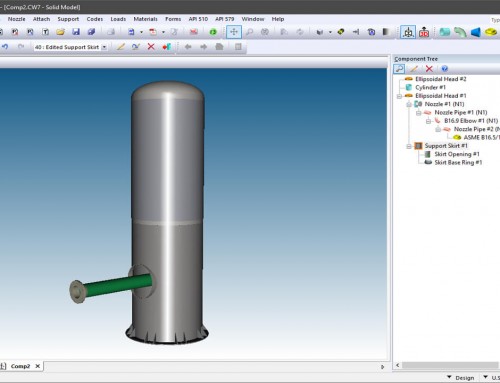
Pressure vessel solid models can now be exported directly from COMPRESS to 3D plant design programs including AutoCAD®, Autodesk Inventor®, SolidWorks®, PDMS® and PDS®. 3D solid model generation is included with every COMPRESS license.
Import 3D Solid Model Files into AutoCAD
See how to import a COMPRESS 3D solid model file into Autodesk AutoCAD® software.
Download "Import 3D Solid Model Files into AutoCAD" Video (.mov)
Import COMPRESS Files into AutoCAD Plant 3D
How to import COMPRESS solid model files into AutoCAD Plant 3D. COMPRESS saves time by eliminating the need to manually create vessel and exchanger equipment within your plant design software.
Download "Import COMPRESS Files into AutoCAD Plant 3D" Video (.mov)
Create 2D Vessel Drawings From 3D Solid Models
The COMPRESS solid model export reduces the time needed to create pressure vessel geometries in 3rd party software. See how to use a COMPRESS solid model to create 2D pressure vessel drawings with Autodesk Inventor®.
Download "Create 2D Vessel Drawings From 3D Solid Model Files" Video (.mov)
COMPRESS 2011 Solid Model Walk Through
With the COMPRESS solid model designers can now walk through vessels to verify nozzle positions and projections.
Download "COMPRESS 2011 Solid Model Walk Through" Video (.mov)
We're here to help. Contact Us or Call 941.927.2670 for more information.