 LOGIN
LOGIN

The Public Domain Codeware Schema
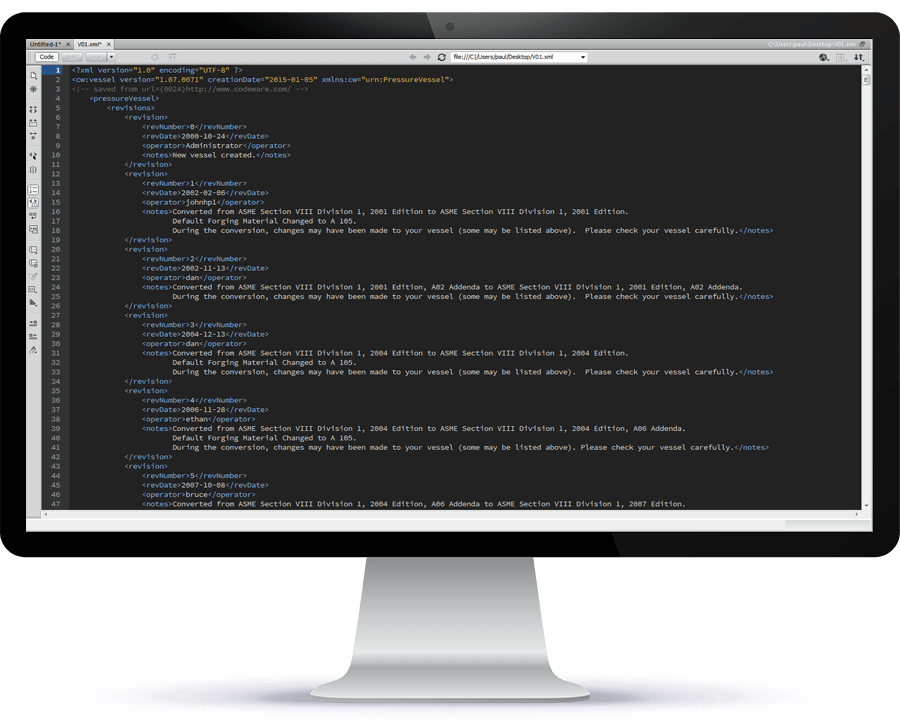
In order to support custom third party software integration, COMPRESS and INSPECT provide an XML (Extensible Markup Language) file export feature. XML is a more structured form of HTML that has become the language of choice for communication between computer programs.
There are numerous advantages to using this widely implemented vendor and system independent standard. An XML file is written in plain text so it is easy to read, understand and modify. It does not require the use of expensive proprietary software to access, just a plain text editor. Also, XML documents can be hierarchical. Along with the data there is also a link between components. A simple hierarchical example would be a nozzle on a cylinder:
Protect Your Investment In Custom Software
Another benefit of XML is that it protects your investment in custom software because extensions to the Codeware XML schema (data structure) will not break software written using the previous schema.
NATCO Case Study
Find out how NATCO Group, Inc. successfully used the XML data generated by COMPRESS to create 3D models, drawings, schedules and parts lists.
Codeware XML Schema Export Details
COMPRESS and INSPECT export a large amount of information in XML for every vessel and exchanger, including:
The specification for this file is the schema, a road map which enables you to extract desired information from the XML file for a particular vessel or exchanger. This enables you to manipulate the data for your own purposes, such as:
Codeware hereby places the Codeware XML Schema for pressure vessels and heat exchangers which it has developed into the public domain. All parties are invited to use this schema for private and commercial purposes free of charge and are encouraged to be generous in sharing whatever they develop with the engineering community. Our belief is that by establishing a standard XML pressure vessel and heat exchanger schema, everyone will benefit.