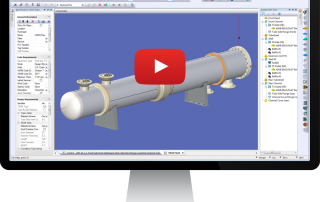
See COMPRESS In Action
See selected COMPRESS features in action. These videos highlight the software's most popular features as well as recent developments. Trouble viewing YouTube videos? View Videos From the Support Center.
Watch Videos
Codeware Interface for Autodesk Inventor
We are pleased to introduce the Codeware Interface, an add-in for Autodesk® Inventor® or SolidWorks®. Using the .XML3D file export from COMPRESS you can transfer a solid model with design data into either software package.
Download "Codeware Interface for Autodesk Inventor" Video (.wmv)
Codeware Interface for SolidWorks
We are pleased to introduce the Codeware Interface, an add-in for Autodesk® Inventor® or SolidWorks®. Using the .XML3D file export from COMPRESS you can transfer a solid model with design data into either software package.
Export COMPRESS 3D Solid Model Files
Pressure vessel solid models can now be exported directly from COMPRESS to 3D plant design programs including AutoCAD®, AutoDesk Inventor®, SolidWorks®, PDMS® and PDS®. 3D solid model generation is included with every COMPRESS license.
Optimize Appendix 2 Flange Designs
Standard ASME B16.5/16.47 flanges usually provide the most cost effective solution for bolted connections. For cases where no standard flange exists, the more complex rules of ASME Appendix 2 can be used. The Flange Wizard creates optimized Appendix 2 flange designs.
Read More...
Hillside Nozzle Design With COMPRESS
Nozzles on cylinders are frequently placed in a non-radial (hillside) orientation. In these cases COMPRESS automatically determines the governing plane of reinforcement taking into account the F factor (Fig. UG-37) and the chord length. Read More...
External Nozzle Loads Design Using COMPRESS
The ASME Code requires designers to account for external loadings placed on nozzles. Find out how to do this with the COMPRESS WRC-107 feature. Read More...
Download "External Nozzle Loads Design Using COMPRESS" Video (.mov)
Design Multi-Chamber Vessels in COMPRESS
Certain industrial processes require pressure vessels to be built with multiple chambers operating under different design conditions. The COMPRESS Multi-Chamber Vessel Feature supports this type of design. Read More...
How to Import HTRI Files Into COMPRESS
The COMPRESS / HTRI Interface aids engineers with optimizing both the thermal and mechanical design of a heat exchanger by preventing duplicate data entry and streamlining communication between the different departments. Read More...
Import 3D Solid Model Files into AutoCAD
See how to import a COMPRESS 3D solid model file into Autodesk AutoCAD® software.
Download "Import 3D Solid Model Files into AutoCAD" Video (.mov)
Import COMPRESS Files into AutoCAD Plant 3D
Import COMPRESS solid model files into AutoCAD Plant 3D. COMPRESS saves time by eliminating the need to manually create vessel and exchanger equipment within your plant design software. Read More...
Download "Import COMPRESS Files into AutoCAD Plant 3D" Video (.mov)
Create 2D Vessel Drawings From 3D Solid Models
See how to use a COMPRESS solid model to create 2D pressure vessel drawings with Autodesk Inventor®.
Read More...
Download "Create 2D Vessel Drawings From 3D Solid Model Files" Video (.mov)
COMPRESS Solid Model Walk Through
With the COMPRESS Solid Model designers can now walk through vessels to verify nozzle positions and projections.
Place Openings In Support Skirts
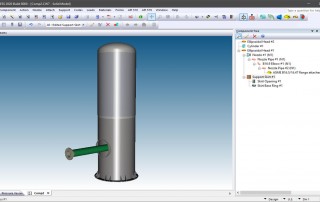
COMPRESS 2011 Builds 7120 and later feature the ability to specify openings in support skirts. Circular sleeves, internal projections and reinforcing pads are considered. For openings on non-sloped skirts, a tilt angle can also be specified.
Design Pressure Vessel Components
It's
easy to design or rate individual ASME pressure vessel components with
COMPRESS. See how to use the COMPRESS design mode to optimize two common
ASME Code components; a nozzle on a cylinder (UG-37, UG-45) and a custom
flange (Appendix 2). Read More...
Perform Post Construction Hydrotest Calculations
Pressure vessel specifications often require that the equipment be designed for a field hydrotest in the fully corroded condition. See how to do this in COMPRESS.
Read More...
Download "Perform Post Construction Hydrotest Calculations" Video (.mov)
Shell Seam Placement on Pressure Vessels
Pressure vessel drawings and API 510 (post construction) calculations require correct seam placement. See how to add longitudinal shell seams to a COMPRESS model.
Download "Shell Seam Placement on Pressure Vessels" Video (.wmv)
Perform FEA on Nozzles
The ASME Code requires analysis of piping and other loads on pressure vessel
nozzles. However, traditional methods like WRC-107 and WRC-297 do not address
all the nozzle intersections and loadings encountered in practice. The COMPRESS
FEA-Nozzles feature solves this problem by providing a quick and reliable
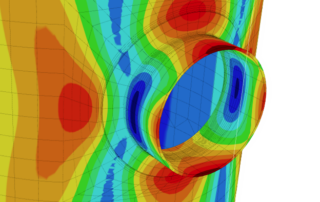
FEA of nozzles. Read More...
We're here to help. Contact Us or Call 941.927.2670 for more information.
"We have been using COMPRESS since its inception. Les Bildy has developed a first rate product. We have found it very user friendly, and can't imagine our company succeeding without it."
General Manager
Hooper Welding Enterprises
"In our 20 plus years of using COMPRESS including the design, quotation and fabrication of in excess of 10,000 pressure vessels, we have come to rely on the accuracy and dependability we get each and every time."
Director of Operations
Mountaineer Fabricators